
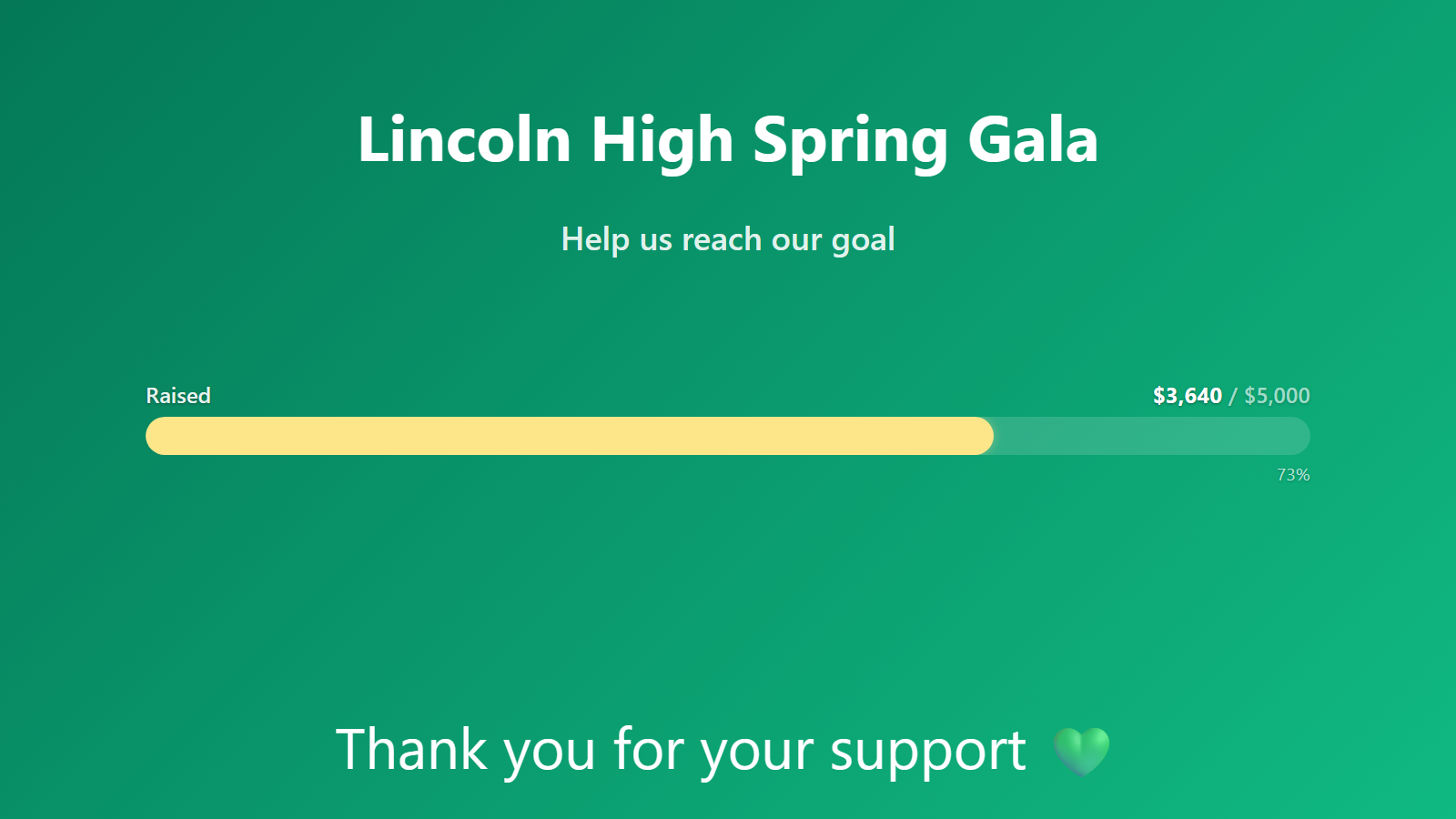
A live fundraising thermometer for your lobby TV and your website.
Every nonprofit development director knows the feeling: a campaign launches, donations start landing, and the only way to know where you are is to refresh the donation platform’s dashboard. The team that actually makes the mission happen — volunteers, program staff, the executive director — has no visibility. Momentum happens in a silo.
PingBell is a live fundraising thermometer that runs on every screen your organization has. Pair the lobby TV and the campaign total fills up in real time. Embed the thermometer on your donation landing page. Put a push notification on every staff member’s phone. The whole team feels the campaign land.
Who this is for
- Development teams running annual campaigns, capital campaigns, or year-end drives.
- Executive directors who want a real-time pulse on fundraising without waiting for Monday reports.
- Volunteer-driven organizations where celebrating donations in real time keeps volunteers energized.
- Small nonprofits without a development team — one-person shops running donor outreach who still want professional-looking dashboards.
- Schools, churches, and faith-based nonprofits running capital campaigns or giving Sundays.
How PingBell solves it
Thermometer visualization. Set a campaign goal and the counter displays as a classic fundraising thermometer, filling as donations come in. Looks great on a TV, on a website embed, or on a phone.
Every donation platform supported. Stripe and PayPal are the most common — both connect via OAuth in two clicks. For platforms without native integrations (Donorbox, GiveButter, Classy, Raisely, Funraise, Bloomerang), Zapier has triggers for every major donation tool and can POST to PingBell’s webhook endpoint.
Lobby TV + website embed in one. One counter, two surfaces. The TV runs our native Fire TV / Apple TV / Android TV app in full-screen mode; the website embed is a lightweight iframe that any CMS (WordPress, Squarespace, Wix) can drop in.
Goal progress callouts. “You’re at 67% of goal with 4 days left.” The TV and website embed both show the percentage to goal visually, plus a real-time numeric display.
Per-donor celebrations. Push notification every time a donation lands, with the amount, first name, and optional city/state. Great for keeping volunteers engaged on phonathons and phonebanking nights.
Nonprofit discount. 10% off annual plans for registered 501(c)(3) organizations. Email support@pingbell.io with your tax ID.
Setup in 5 minutes
- Create a counter in PingBell. Name it after your campaign (“End-of-Year 2026”). Set the goal (“$50,000”) and choose “Thermometer” as the display type.
- Connect your donation platform. Stripe via OAuth; PayPal via OAuth; everything else via Zapier or a custom webhook.
- Write the notification template.
Gift of ${amount} from {first_name} in {city}, {state}. {X}% of goal. - Embed on your website. Copy the iframe snippet. Paste into your donation page.
- Pair the lobby TV. Install the PingBell TV app, pair with a code, done.
Pricing for this use case
Most nonprofits land on the Plus plan at $50/mo (billed annually; $75 month-to-month) — full board designer, one rotating channel, up to 50 paired screens — with the nonprofit discount bringing annual to $270/year (10% off $300). A one-person shop running a single templated board fits the Core plan at $20/mo (billed annually; $30 month-to-month). Organizations showing different campaigns on different screens belong on the Team at $200/mo (billed annually; $300 month-to-month) for unlimited channels.
See pricing.
FAQ
Can I use PingBell with Donorbox / GiveButter / Classy / Raisely?
Yes, via Zapier. All four platforms have “New donation” triggers in Zapier. The Zap POSTs to PingBell’s webhook endpoint, which triggers the counter.
Can I display anonymous donations?
Yes. Anonymous donations count toward the total like any other gift — the thermometer shows dollars, not donor names. If you only want publicly-displayable gifts counted, filter on your platform’s “allow public display” flag in the Zap before it rings PingBell.
Can I exclude recurring donation renewals from the campaign total?
Yes. Have your Zap (or your platform’s webhook settings) skip recurring renewals — filter on is_recurring = false, or subscribe only to one-time payment events. Most campaigns count only new gifts; some want everything.
Does the website embed slow down my site?
No. The embed is a lightweight iframe that holds a realtime connection, so it’s live without polling and loads independently of your page.
Can the thermometer show a stretch goal?
Yes — when you blow past the primary goal, raise the goal block’s target to the stretch number and every screen updates instantly. Announcing “new goal: $75K” on the marquee at the same moment is a classic gala move.
What about donor anonymity and privacy?
PingBell only stores the fields you pass it via the notification template. If you don’t pass donor name or email, we don’t see it. See our privacy notes.
Do you offer a discount for small nonprofits?
Yes. 10% off annual plans for registered 501(c)(3) organizations — email support@pingbell.io with your tax ID.
Can I restart the counter for a new campaign?
Yes. Counters can be “archived” (preserves history) and cloned (starts fresh with same settings). One-click campaign rotation.
Get started
Start a free 7-day trial. Email us your nonprofit tax ID for the discount. Run your next campaign with the team actually watching it happen.