
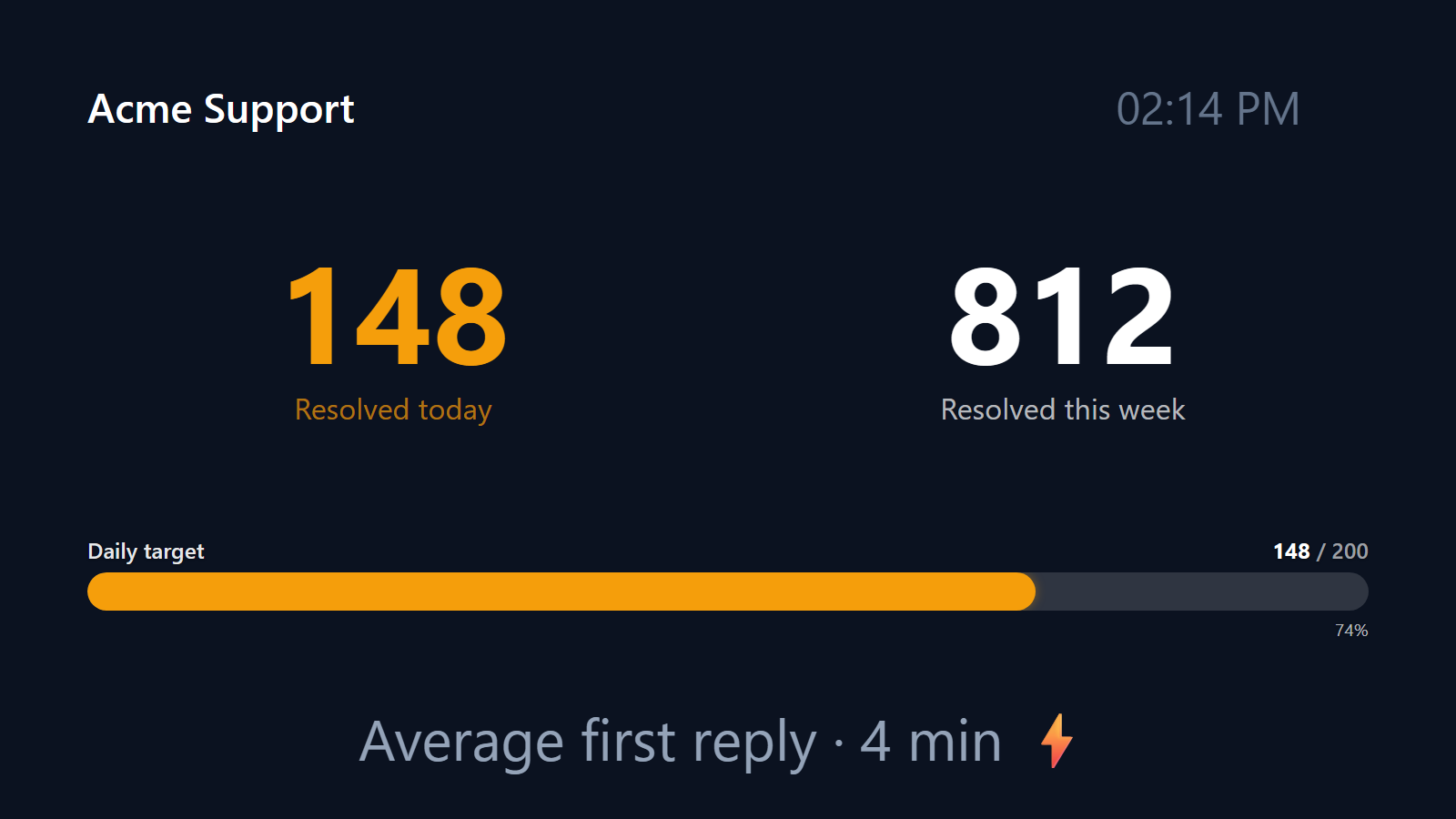
A live KPI display for the call center floor. Priced per account, not per agent.
Call center ops managers face a specific problem that standard BI tools aren’t built for: you have 40, 80, or 300 agents on a floor, and the only cost-effective way to give them real-time visibility is a big number on a big TV. Most dashboard tools priced for SaaS sales teams break on the “per user” axis when you have hundreds of agents. Many agents never even log into the tool — they just watch the TV.
PingBell charges one flat plan per workspace, not per agent. Agents watching the TVs are never billed seats, and you can pair up to 50 screens on Plus, 200 on Team. The TVs you already have on the floor. That’s the entire setup of running real-time KPI displays across your operation.
Who this is for
- Call center ops managers running inbound support or outbound sales floors.
- BPO floor leads managing client-funded agent teams where visibility is part of the SLA.
- Healthcare intake call centers running appointment-booking pipelines.
- Insurance and financial services call centers running appointment-setting.
- SaaS customer success and support teams with 10+ agents tracking ticket volume and CSAT.
How PingBell solves it
Priced for floor-scale teams. One flat plan covers the whole operation — up to 50 paired screens on Plus and 200 on Team, and an agent watching the TV isn’t a billed seat. A 300-agent floor costs the same as a 3-agent team.
TVs, not laptops. Every dashboard runs on a native Fire TV, Apple TV, Android TV, or Roku app. No laptop chained to the TV. No “who has the login?” problem. Install the app, enter the pairing code it shows on your Screens page, and the TV is the dashboard.
Connects to your call center stack. Zendesk, Intercom, Freshdesk, HubSpot Service Hub, Front, Help Scout, Aircall, Dialpad, RingCentral — route events through Zapier, Make, or a direct webhook from the tool itself. If your dialer or CRM fires events on call completion or ticket resolution, PingBell can count them.
Team-wide totals. “Tickets resolved today”, “Calls completed today”, “Inbound queue handled today” — the floor sees the team-wide number all day. Push notifications to the team’s phones reinforce the visual.
Custom sounds. A soft chime for every resolved ticket. A celebration sound for a milestone. Pick from PingBell’s library of 70+ built-in sounds.
Setup in 5 minutes
- Pick your first metric. The single best starter is usually “tickets resolved today” or “calls completed today”. Create a source for it — every source gets its own webhook URL.
- Connect your stack. Use Zapier, Make, or your tool’s webhook to POST events to that source’s webhook URL on call-end or ticket-resolved.
- Design the board. Drop a counter block on a board, pick a sound, and set a daily goal — a target on the TV creates pace.
- Pair the floor TV. Install the PingBell TV app — it shows a short pairing code. Enter it on the Screens page at my.pingbell.io and cast the board.
- Monitor from your office. Your phone and browser can watch the same counters, so you don’t need to walk the floor to check the pulse.
Pricing for this use case
Plus at $50/mo (billed annually; $75 month-to-month) covers a single floor: the full board designer, one rotating channel, and up to 50 paired screens. Operations that want different content on different floors — each TV running its own rotation — belong on Team at $200/mo (billed annually; $300 month-to-month) with unlimited channels and a team of five.
See pricing.
FAQ
Does PingBell integrate with my dialer?
Probably — via Zapier, Make, or a direct webhook from the dialer. Most modern cloud dialers (Aircall, Dialpad, Talkdesk, RingCentral) expose webhooks on call-end events. If yours does, PingBell can count them.
What about ACD/IVR queue metrics?
If your ACD exposes a webhook on call-enqueue, call-answer, or call-abandoned, PingBell can run a live counter for any of those. Most modern cloud ACDs do.
Can I run multi-floor dashboards where each floor has its own TV with different KPIs?
Yes. Each paired screen casts its own board, so Floor A’s TV can show “inbound tickets resolved” while Floor B’s shows “outbound demos booked”. To give each floor its own rotating playlist of boards, use channels on the Pro plan.
Are there built-in CSAT / NPS integrations?
Via the survey tool that produces them (Delighted, Wootric, SurveyMonkey, Typeform). PingBell ingests the response score as an event.
Do you support per-agent leaderboards?
Not yet — today PingBell counters show a single team-wide total. Per-agent grouping is on our roadmap.
Get started
Start a free 7-day trial. Connect your stack. Pair the first TV. The floor will feel it by the end of the shift.