
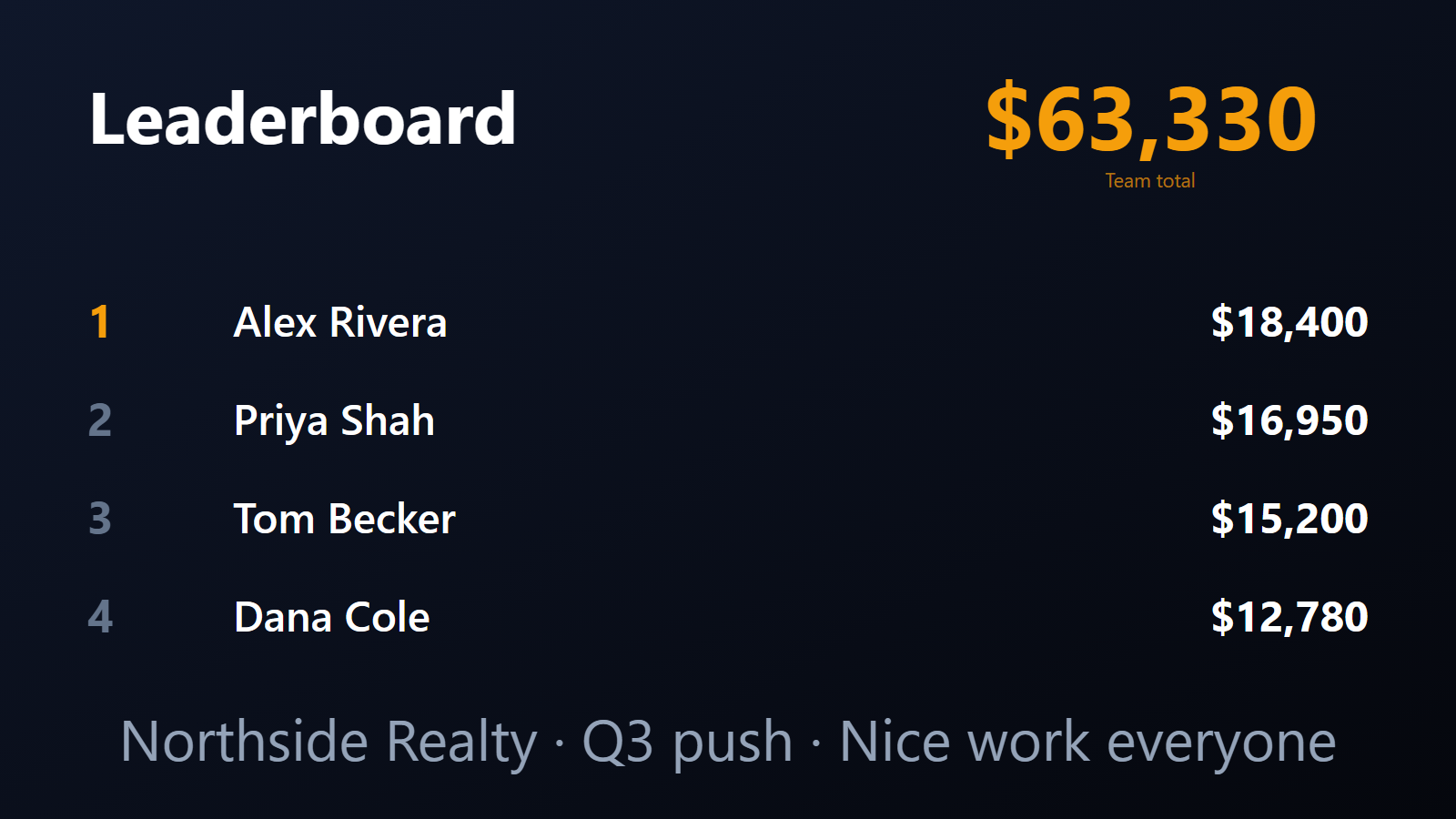
A live sales counter on every office TV.
“Pick the right KPI and watch it go up.” That’s the whole sales management playbook, distilled. But most teams still run on Monday-morning reports. By the time the team sees the number, the week is already a quarter gone.
PingBell turns the sales board into the sales TV. Every deal closed, demo booked, or cold call completed updates a live counter on every screen your team sees — on the office TV, on team phones, in any browser. Updated every time a real event fires.
Who this is for
- SDR teams where daily activity (calls, emails, demos booked) is the primary managed KPI.
- AE teams where closed-won velocity is the number everyone watches.
- Sales managers running quarterly SPIFs who want to display a team-wide total in real time.
- Revenue leaders at 10-50 person B2B SaaS companies who’ve outgrown the “weekly recap email” cadence.
How PingBell solves it
A live counter on every screen. A single team-wide number on the office TV: “Deals closed this month”, “Demos booked today”, or whatever your team is racing toward. The TV runs PingBell’s native app — no laptop, no browser tab.
Connects to your CRM. Through Zapier, Make, or your CRM’s own webhook action (HubSpot workflows, Salesforce Flow, Pipedrive automations). PingBell receives the events you choose (deal stage change, activity logged, call outcome set) and updates the counter in seconds.
Push notifications on every close. Every team phone hears the same sound the moment a deal closes. Pick the sound from PingBell’s library of 70+ built-in options.
Time-boxed resets. Daily, weekly, monthly, quarterly, or by a specific campaign window. Start fresh at midnight Monday; carry over at month end.
Goal lines. Set a team target. The counter shows progress to goal alongside the raw number.
No per-viewer fees. A rep watching the TV is never a billed seat — we charge one flat plan per workspace. Pair up to 50 screens on Plus and 200 on Team.
Setup in 5 minutes
- Create the counter. Name it “Deals closed — Q2 2026” or similar. Set aggregation (count or sum-value), reset period (monthly / quarterly).
- Connect your CRM. Use Zapier, Make, or your CRM’s built-in webhook action. Pick the trigger event (stage change, activity logged) and POST to your PingBell source’s webhook URL.
- Pick a sound for closes. A bell, a cheer, a celebration — pick from the library.
- Pair the TV. Install the PingBell TV app on Roku, Fire TV, Apple TV, or Android TV. A short pairing code appears.
- Enter the code on the Screens page at my.pingbell.io (or scan the QR). Cast the board and the TV takes over with the live counter.
Pricing for this use case
Plus at $50/mo (billed annually; $75 month-to-month) is the fit for almost every sales team: run counters for deals closed, pipeline added, demos booked, revenue, and SPIF progress, with up to 50 paired screens and one rotating channel for the TV. Larger teams, or different content on different screens: Team at $200/mo (billed annually; $300 month-to-month) with unlimited channels and a team of five.
See pricing.
FAQ
Does it integrate with my CRM?
Yes — through Zapier, Make, or your CRM’s own webhook action (HubSpot “Send a webhook”, Salesforce Flow “Send HTTP request”, Pipedrive automations, etc.). Every PingBell source has its own webhook URL, so anything that can POST JSON can feed it.
Can I show multiple counters on one TV?
Yes. Build a channel — a rotating playlist of boards with per-board dwell time (one channel on Plus, unlimited on Pro). Most teams rotate between “deals closed this month”, “demos booked this week”, and “pipeline added today” so the focus KPI changes with the cadence.
Can I weight scoring (e.g. enterprise deals worth more than SMB)?
Yes. Use the event’s ACV, ARR, or a custom lead-score field as the counter’s value. Larger deals contribute more.
What happens if a deal gets re-opened or re-classified?
If you wire forward and reverse stage transitions into the counter, a Closed-Won deal reverting to Proposal decrements; the next Closed-Won re-increments. The counter reflects current CRM state.
Can reps see the counter on their phones?
Yes. The mobile app displays every counter the rep is subscribed to.
Do you support per-rep leaderboards?
Yes. Map the rep field from your CRM once and the leaderboard ranks your reps by deals or revenue; every notification carries the rep’s name. Team-wide totals and goals sit on the same board.
Get started
Start a free 7-day trial. Connect your CRM. Pair the TV. The next closed deal will land on the wall.